Everything that matters for the trip, in one place.
Each trip gets an app with the bookings, the documents and the tools that help the traveler get organized before and during the journey.
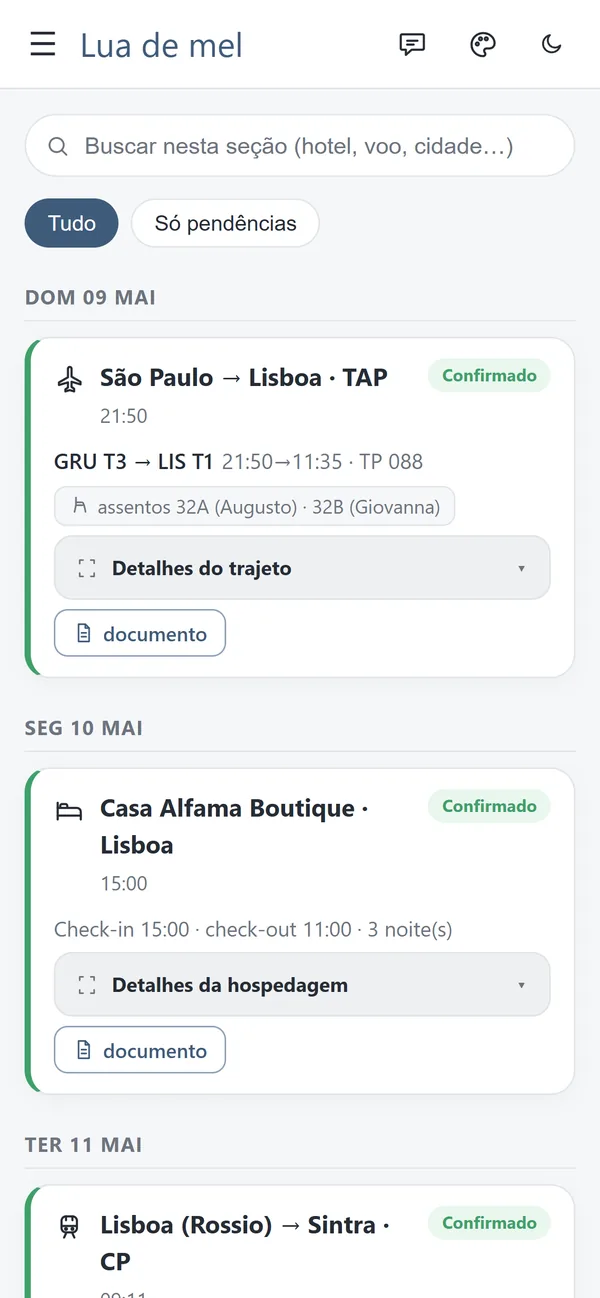
An organized itinerary, day by day
Flights, trains, stays and appointments in an easy-to-follow sequence, with local times and the times back home.
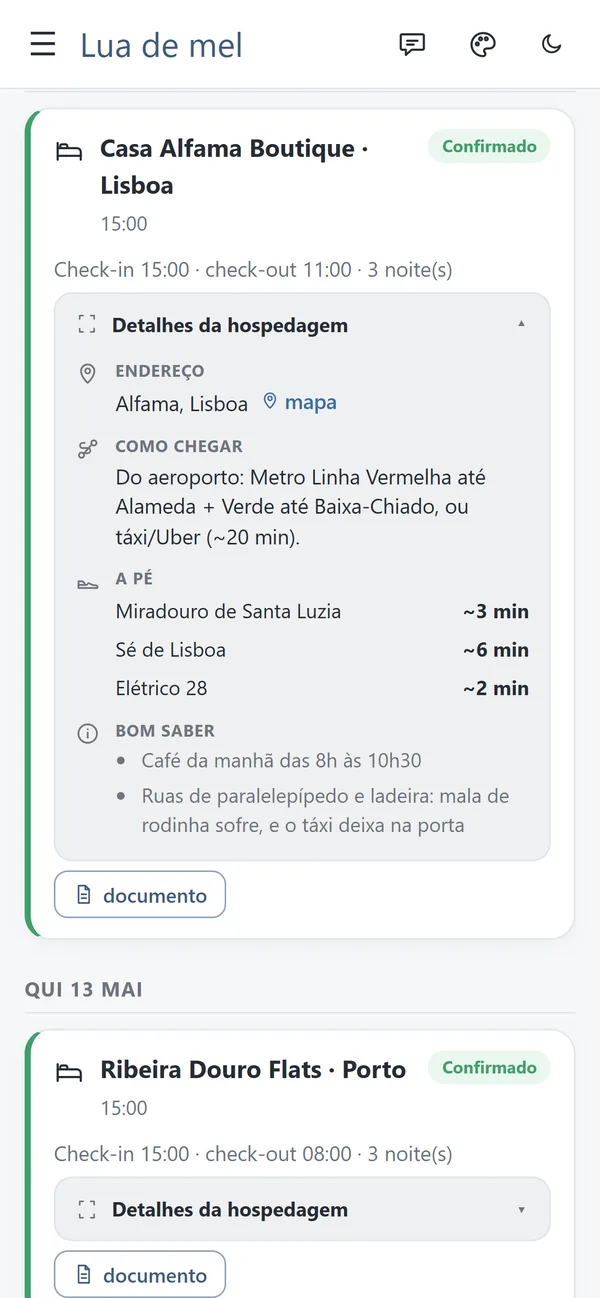
- Addresses and directions to get to each stay.
- What's up next, highlighted on the home screen.
- Maps through Google Maps.
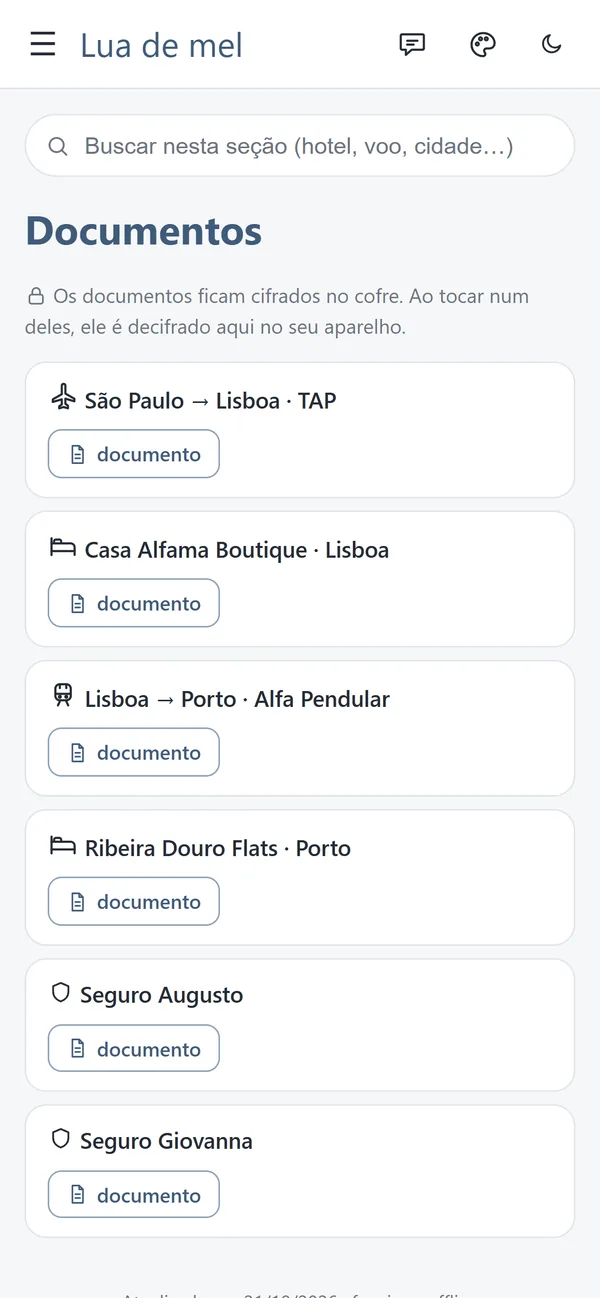
Documents always at hand
Vouchers, tickets and insurance documents together in a password-protected vault.
- Documents available even without a connection, once the app is set up on the phone.
- An individual password for each traveler.
- Access recovery by email.
 Opens offline
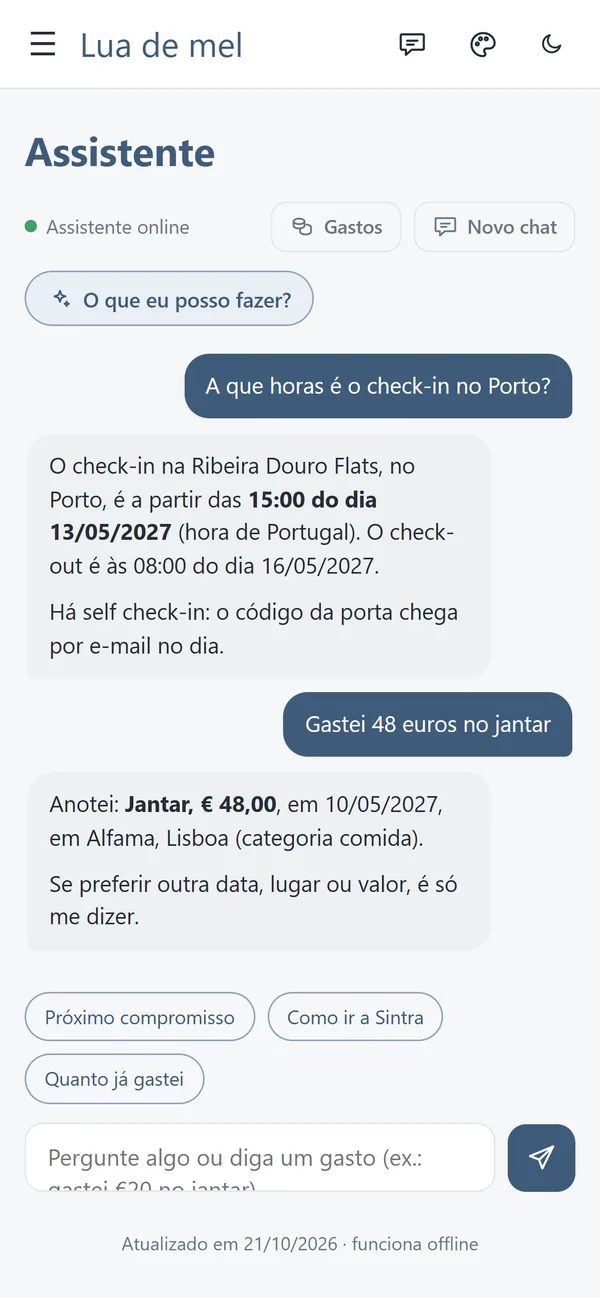
An assistant that knows the itinerary
The traveler can look up information about their own trip and log expenses with simple messages.
- “What time is check-in in Porto?”
- “I spent 48 euros on dinner.”
The assistant needs internet to answer. The app's offline features keep working without a connection.
Bags packed, to-dos in order
A checklist to get the luggage ready, to-dos before departure and a running view of the trip's expenses.
- Packing list synced across the travelers' phones.
- Budget organized by currency and protected by password.
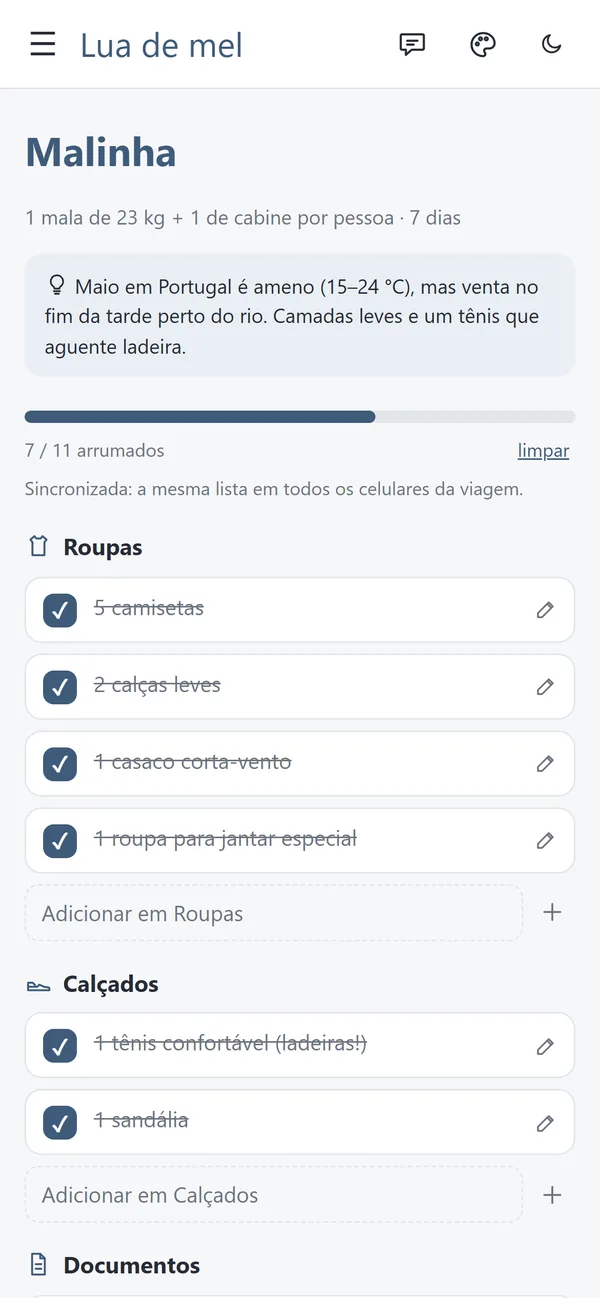
The trip stays available without internet
After opening and setting up the app with a connection, the traveler can view the offline content. Syncing and the assistant come back when the connection returns.
Family can follow along
Whoever stays home can check the itinerary with their own access, without seeing the traveler's protected documents and amounts.
A look that matches the trip
Design options for different travel styles, like a honeymoon, a family vacation or a graduation trip, with dark mode.
Still available after the return
Online access stays available for up to 30 days after the planned return date, according to the service's operating rules.
How the traveler gets started.
Nothing to download from the app store. Access arrives at the email the agency gave in the trip form.
Gets the invitation by email
Each traveler receives a personal link for the first access, valid for 7 days.
Creates their own password
The password is individual, at least 12 characters long, and it is what opens the document vault.
Adds the app to the home screen
On iPhone, through the Share button, then Add to Home Screen. On Android, through the browser's install option.
Opens it once with internet
On that first opening, the itinerary and the documents are saved on the phone. After that, they open even without a connection.
Forgot the password? On the access screen, the traveler asks for a new link by email. Whoever follows from home gets their own access, with the itinerary only.
Trip information deserves care.
Valise was built so the traveler can reach their own trip's information with controlled access to their data.
Password-protected documentsThe vault opens with each traveler's individual password. Documents stay encrypted (AES-256-GCM) on the link and on the phone. Valise keeps a protected copy of the keys to update the trip and to allow access recovery by email.
Controlled accessWithout the password, the trip link shows only the sign-in screen, with no name, destination, dates or document names.
Access with an end dateOnline access ends 30 days after the return. After that, we remove the trip's data from the server: people, emails, expenses, files and keys. Only a minimal audit record remains. The app already installed keeps opening on the phone, offline.
Assistant kept apart from documentsPassport, voucher and policy files are never sent to the assistant. To answer, it uses the itinerary and the travelers' profiles, processed by Anthropic, the company that provides the AI model.
See how the trip gets organized.
Explore a demo of the app and get to know the traveler experience: check the itinerary, see how the documents are organized and find out how access to the trip's information works.
The demo uses fictional data, so you can explore the features without using real client information. Its trip content is in Portuguese.